Most comparisons of free garden design software list product sheets without ever addressing the technical limitations that affect the final result. Here, we offer a design-oriented reading, distinguishing the tools that are truly usable for an outdoor planning project from those that are merely gimmicks.
Rendering Engine and Plant Library: What Separates a Planner from a Real Design Tool
A garden software is primarily judged on two technical components: its rendering engine (2D only, real-time 3D, or photorealistic via ray tracing) and the depth of its plant library. Without a properly informed botanical database (hardiness zone, adult size, root spread), the produced plan has no operational value.
Gardena myGarden, for example, remains a strictly 2D tool with a watering-oriented library. It excels at sizing a network of pipes and drippers, but its plants are generic icons without growth data. In contrast, a tool like Planner 5D offers immersive 3D rendering, but its plant database lacks botanical depth.
Kozikaza stands out with a complete French-speaking interface and the ability to switch between 2D view and 3D view. For those looking for a truly usable free garden design software without prior training, it is one of the few tools that combines accessibility and correct rendering of materials (wood, stone, gravel).
SketchUp, in its free web version, offers the most powerful modeling engine in this selection. We recommend this option for users who are already proficient in 3D modeling or who are willing to accept a significantly steeper learning curve. The plant catalog is accessed through the 3D Warehouse, community-driven, with highly variable quality from one model to another.
Free Mobile Garden Software: Real Features and Usage Trade-offs
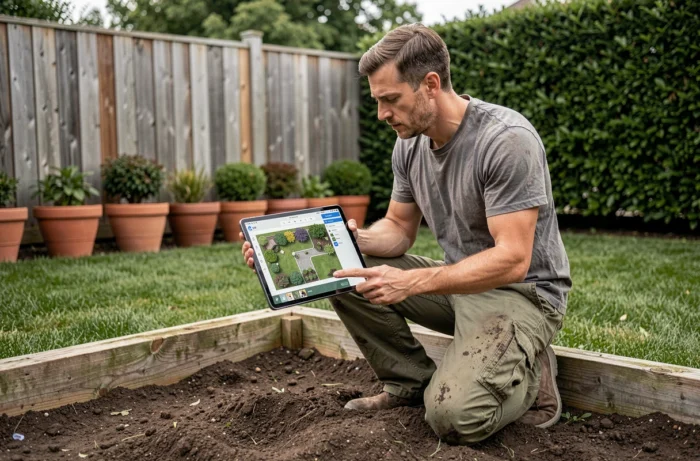
The functional gap between desktop and mobile versions is rarely documented in comparisons. Home Design 3D offers a mobile app with a dedicated outdoor mode, but the tools for plotting beds and leveling are simplified compared to the desktop version.
iScape works exclusively on iOS and utilizes augmented reality to overlay plant elements on a photo of the site. The tool is appealing in demonstration, but the scale accuracy entirely depends on the calibration of the LiDAR sensor (available only on recent iPhone Pro and iPad Pro models). On a standard iPhone, the result remains approximate.
- Home Design 3D: outdoor mode available on mobile, simplified plot tracing, limited export in the free version
- iScape: augmented reality on iOS only, photorealistic rendering dependent on the LiDAR sensor, North American plant library
- Gardena myGarden: accessible on mobile browser, no native app, reasonable ergonomics on tablet but cumbersome on smartphone
- Planner 5D: cross-platform mobile app, provided outdoor object catalog, but most premium elements require in-app purchase
The choice between mobile and desktop depends on the stage of the project. For quick on-site measurements, a mobile app with AR is advantageous. For detailed design of a planting plan, a large screen and a desktop tool remain essential.
AI Garden Design Tools: Free Quota and Concrete Limits
In recent months, a new category of tools has emerged: applications that generate photorealistic landscaping from a simple photo of the site. The business model relies on a very limited quota of free renders, typically two to three generations before switching to a paid version.
Remodel AI exemplifies this logic well: the tool offers exactly three free garden designs per photo, with no watermark or credit card required. Beyond that, access becomes paid. This model is found in most AI landscape services listed in 2026.
These tools do not replace design software. They produce an inspirational image, not a scaled plan. None provide a plant list with hardiness or spacing data. We consider them a useful complement in the ideation phase, not as a project tool.
Selection Criteria for Free Landscape Software: Technical Reading Grid
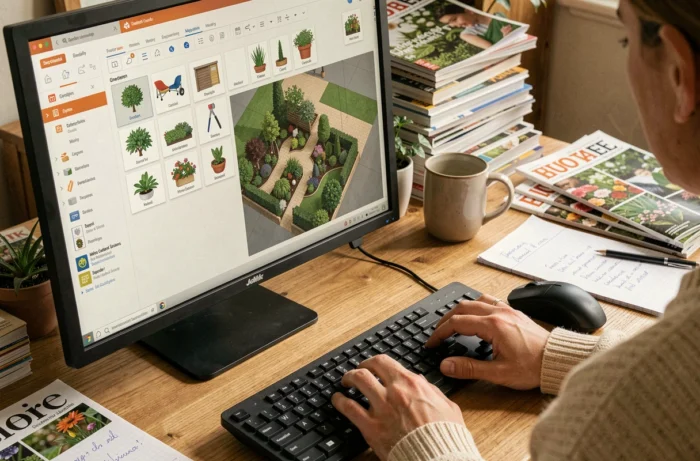
Rather than a linear ranking, we recommend filtering according to the actual needs of the project. An individual wanting to test the layout of a terrace does not have the same requirements as a landscaper preparing a preliminary project.
- Need for irrigation sizing: Gardena myGarden, the only free tool with an integrated hydraulic calculation module
- Need for 3D client presentation: Planner 5D or Kozikaza, which combine visual rendering and ease of use
- Need for precise modeling with dimensions: SketchUp Free, provided you invest time in learning
- Need for quick inspiration via photo: an AI tool like Remodel AI, accepting the limit of a few free renders
The distinction between “sustainable free” and “limited trial version” remains the main trap. Some tools presented as free impose a watermark on exports, block access to the complete library after a few days, or limit the number of projects that can be saved. Checking the exact conditions of the free version before starting a project avoids losing non-exportable design work.
DrawMeAGarden deserves a mention for its different approach: the tool integrates botanical and architectural expertise that guides plant selection based on exposure and soil type. This decision support partially compensates for the lack of advanced 3D rendering.
The choice of free garden design software relies less on the number of displayed features than on the suitability between the tool’s engine and the expected deliverable. A reliable planting plan is worth more than a spectacular 3D rendering without usable plant data.